MCP Servers Are Becoming the Plug-In Layer for AI Apps. Use This Security Checklist Before You Connect One
A practical Model Context Protocol security checklist for connecting MCP servers to AI tools without overexposing files, Git repos, databases, email, or internal systems.
In This Article
What MCP Is in Plain English
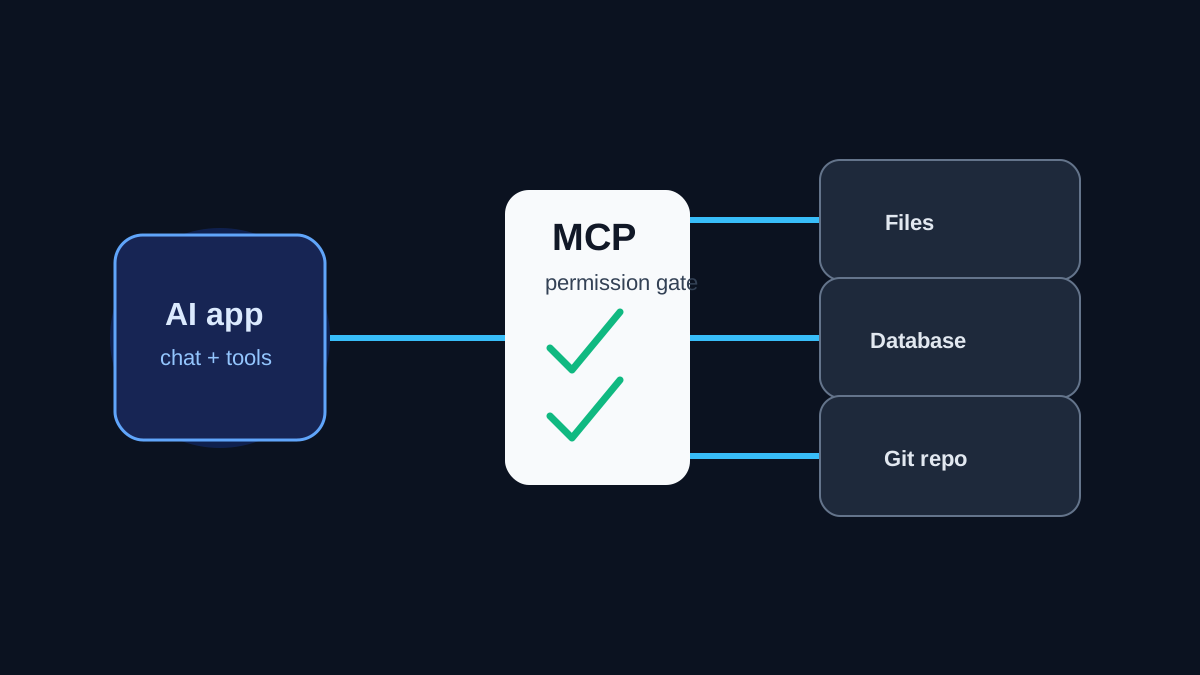
Model Context Protocol, usually called MCP, is a standard way for AI applications to connect to tools and data sources. Instead of every AI app inventing a custom integration for files, Git, databases, calendars, or internal APIs, MCP defines a shared pattern for clients and servers.
That is useful. It also changes the risk. A chat assistant that could only answer questions is one thing. An AI app connected to MCP servers that can read files, query databases, create tickets, run commands, or push code is operational software.
The practical question is no longer "do I trust the model?" The practical question is "what can this connected system read, write, trigger, and log?"
Start With an MCP Permission Map
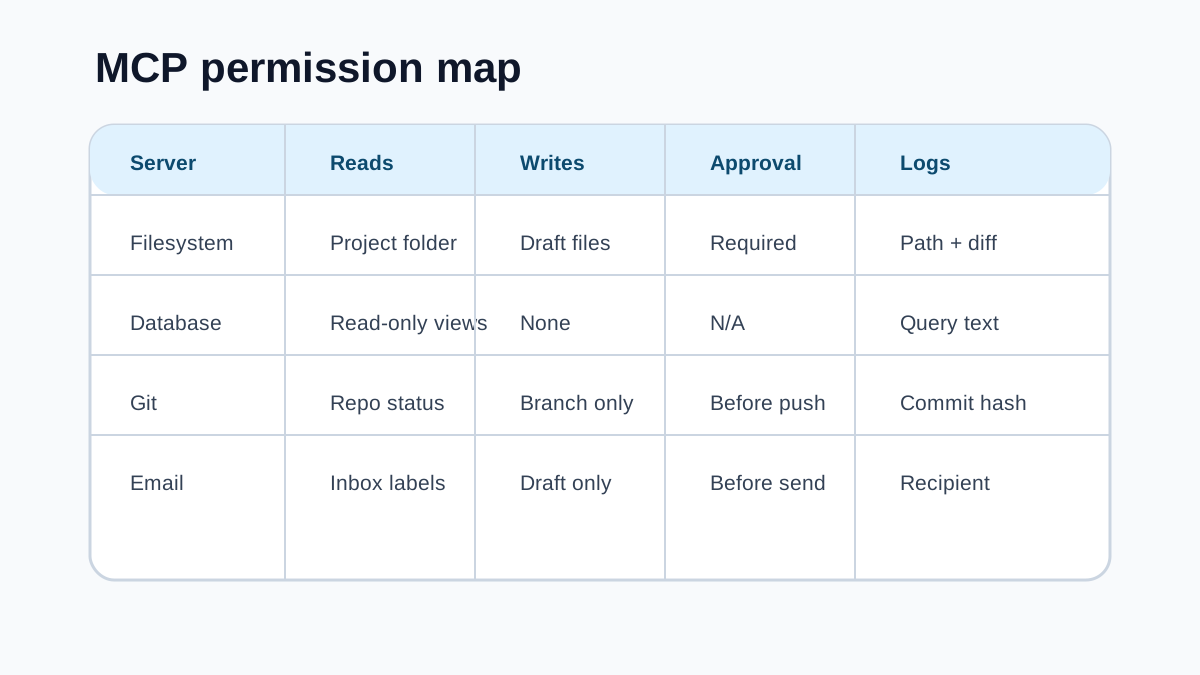
Before adding an MCP server, write a small permission map. List the server name, what it can read, what it can write, whether it can execute commands, which account identity it uses, what approval gate exists, and where logs go.
This sounds basic, but it catches the most common mistake: connecting a server with broad access because setup was easier. File servers should be scoped to the needed project folders. Database servers should start read-only. Git tools should avoid default write access to protected branches. Email tools should draft before sending.
If you cannot explain a server's permission boundary in one paragraph, it is probably too broad or too unclear.
Treat Prompt Injection as an Integration Risk
Prompt injection is not limited to chat messages. It can arrive through a README, webpage, issue comment, email, database row, document, calendar invite, or tool output. Once an AI app has MCP tools, malicious text can try to convince the model to call those tools in unsafe ways.
Good MCP security assumes tool inputs are hostile. Do not let untrusted content silently authorize file writes, shell commands, data exports, pull requests, emails, payments, or permission changes.
Use allowlists, path restrictions, read-only modes, confirmation screens, and separate high-risk actions from low-risk lookups. The goal is to make dangerous actions require explicit intent, not just convincing text inside a document.
Prefer Read-Only First, Then Add Writes Carefully
The best first version of many MCP setups is read-only. Let the AI search docs, summarize tickets, inspect code, or query approved views. Then add write actions one at a time where the value is obvious.
Write permissions need stronger controls. Creating a draft is lower risk than sending a message. Preparing a pull request is lower risk than pushing to main. Suggesting a SQL query is lower risk than running a destructive statement. Creating a ticket is lower risk than changing customer data.
Use the pattern "AI prepares, human approves" for actions with real consequences.
Log Enough To Reconstruct What Happened
If an MCP-connected AI action causes confusion, you need to know what happened without guessing from chat history. Useful logs include the user, AI app, MCP server, tool name, input summary, target resource, approval status, output summary, timestamp, and final change.
Do not log secrets or raw private data just to create observability. Log identifiers and summaries where possible, and store sensitive logs under the same controls as the systems they describe.
For teams, the minimum standard is simple: if an agent changed a file, sent a message, opened a ticket, queried sensitive data, or called a production API, someone should be able to trace that action later.
The MCP Server Checklist
Before connecting an MCP server, answer these questions.
Who owns this server? Which account does it use? What exact folders, repos, APIs, or databases can it access? Is the default mode read-only? Which actions need approval? Can it run shell commands? Can it reach the internet? Can untrusted content influence tool calls? What secrets are available? What logs exist? How do you disable it fast?
If the answers are vague, start smaller. MCP is powerful because it connects AI to real work. That is also why it deserves the same permission discipline as any other production integration.